Glance shows your team what exists in AWS and what it costs, in one screen. Nobody needs to know which console page to open to find out where the money is going.
Seamless Glance
Your AWS account, at a glance.
A terminal app that shows what is running in AWS, what it costs, and what needs attention first, without clicking through the console.
v1.3.0Free and open sourcemacOS, Linux, Windows
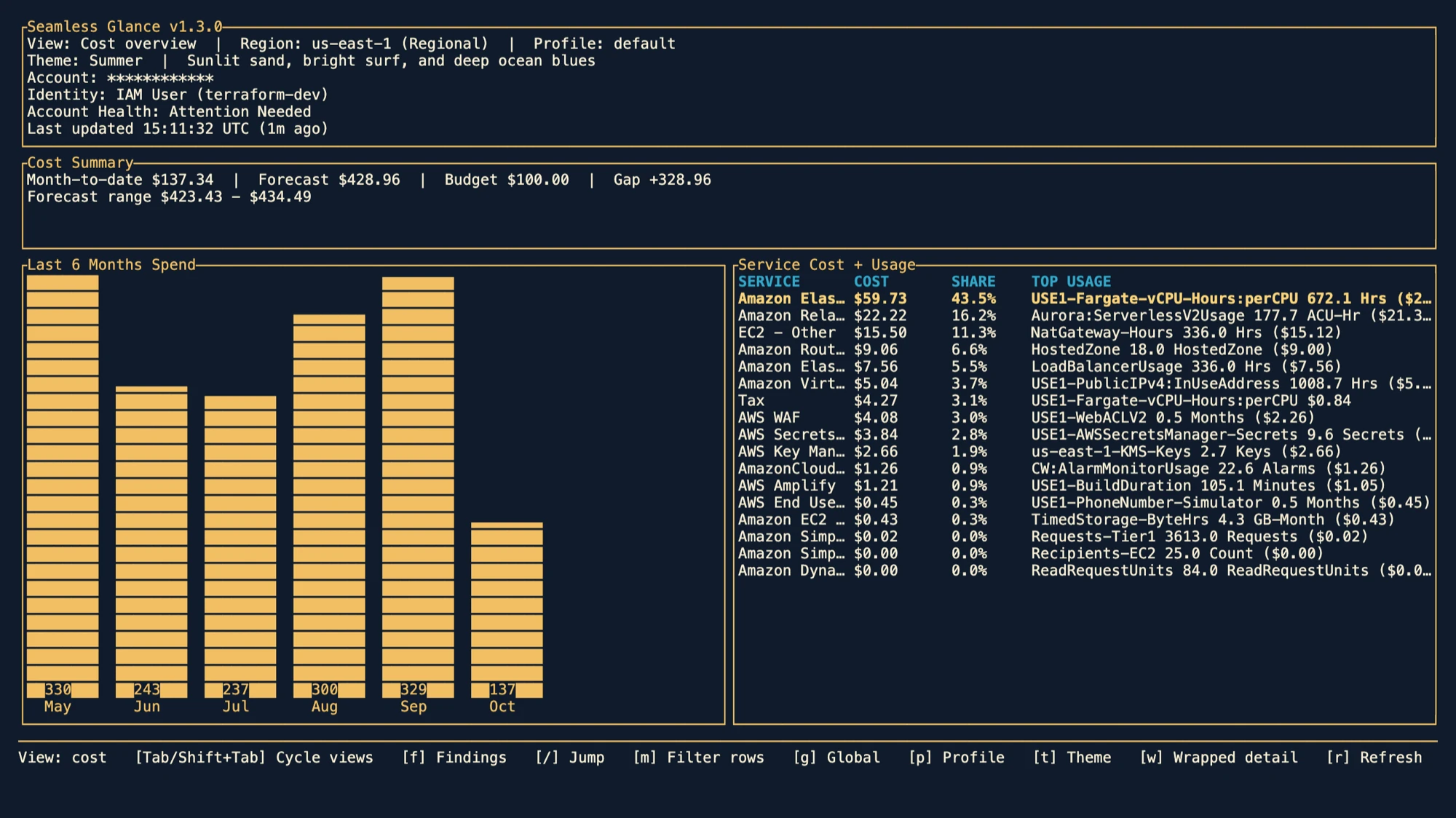
A Rust terminal app that signs in with your normal AWS credentials and profiles. It reads only what that profile is allowed to see, and you switch profiles without restarting.
Two readers, one screen
For the engineer at the keyboard and the person who signs off on the bill.
Answers without the console.
- Opens on Findings, so the first screen is what needs attention
- Jump to any service from the command palette, switch region with the arrow keys
- Describe a resource, copy its AWS CLI command, or open it in the console
Spend you can read in one screen.
- Month-to-date cost and the last six months side by side
- Cost by service, with budget and forecast context
- A Cost Savings view that turns waste findings into recommendations
Findings
Waste and risk come first.
Glance opens on a list of things worth a look. Press Enter on one to jump to the service it belongs to.
- EC2 instances averaging under 5 percent CPU over 7 days
- Secrets without rotation, or with stale rotation
- Security groups open to the world or exposing sensitive ports
- Target groups and load balancers with no healthy targets
- SQS queues without a dead-letter queue
- ECR repositories piling up untagged or unused images
Views and keys
17 views, one keystroke away.
- Findings
- Account Overview
- Cost Overview
- Cost Savings
- VPC
- EC2
- CloudWatch
- Lambda
- Secrets Manager
- ECS
- ECR
- API Gateway
- RDS
- SQS
- Load Balancers
- Target Groups
- Security Groups
- Findingsf
- Command palette: jump to any view/
- Cycle the major viewsTab
- Change region← →
- Scroll any list or overlayWheel
- Switch AWS profilep
- Describe the selected resourced
- Show its AWS CLI commandc
- Open it in the AWS consoleo
Install
One command, then run glance.
$ brew install fells-code/seamless/seamless-glance$ curl -fsSL https://raw.githubusercontent.com/fells-code/seamless-glance/main/install.sh | bash$ irm https://raw.githubusercontent.com/fells-code/seamless-glance/main/install.ps1 | iex$ cargo binstall seamless-glanceFree, open source, Apache-2.0.
Read the code, file an issue, or send a pull request. Glance is built by Fells Code, the people behind Seamless Auth.